All Posts
Browse all blog posts
OrcaSlicer Hole Compensation: Check the Sign, Walls and Measured Fit
Orca Slicer hole compensation is a signed XY offset. Check hole and contour directions, separate base-only bulge, and log repeated tolerance coupons.
OrcaSlicer Z Hop: Settings, Conditions, and Why the Nozzle May Not Lift
A configured Z hop can still leave the nozzle dragging. Check the active preset, hop type and height, the absolute-Z window, and surface rules, then confirm the lift in sliced travel moves instead of assuming a universal height.
OrcaSlicer Infill Patterns: Choose by the Part and Verify the Slice
OrcaSlicer infill patterns are a part-first choice. Compare Grid, Gyroid, Cubic/Adaptive Cubic and Support Cubic, verify non-crossing behavior against your installed version, and keep a blank comparison sheet for sliced time, material mass and top-surface support.
OrcaSlicer Brim-Object Gap: Balance Bed Adhesion and Easy Removal
Brim object gap in Orca Slicer trades part adhesion for easier removal. See what brimobjectgap changes, how it differs from width and type, and how to test.
OrcaSlicer Filament Profile Missing? Check Filters, Account and Saved Presets
Diagnose a missing OrcaSlicer filament profile: check printer and nozzle filters, confirm the preset was saved, and see which user or account folder OrcaSlicer loads.
Klipper Power Loss Recovery: What OrcaSlicer Can and Cannot Restore
After a power cut, Orca Slicer cannot restore firmware or motor state. Classify the failure, check the printer's real state, and know when not to resume.
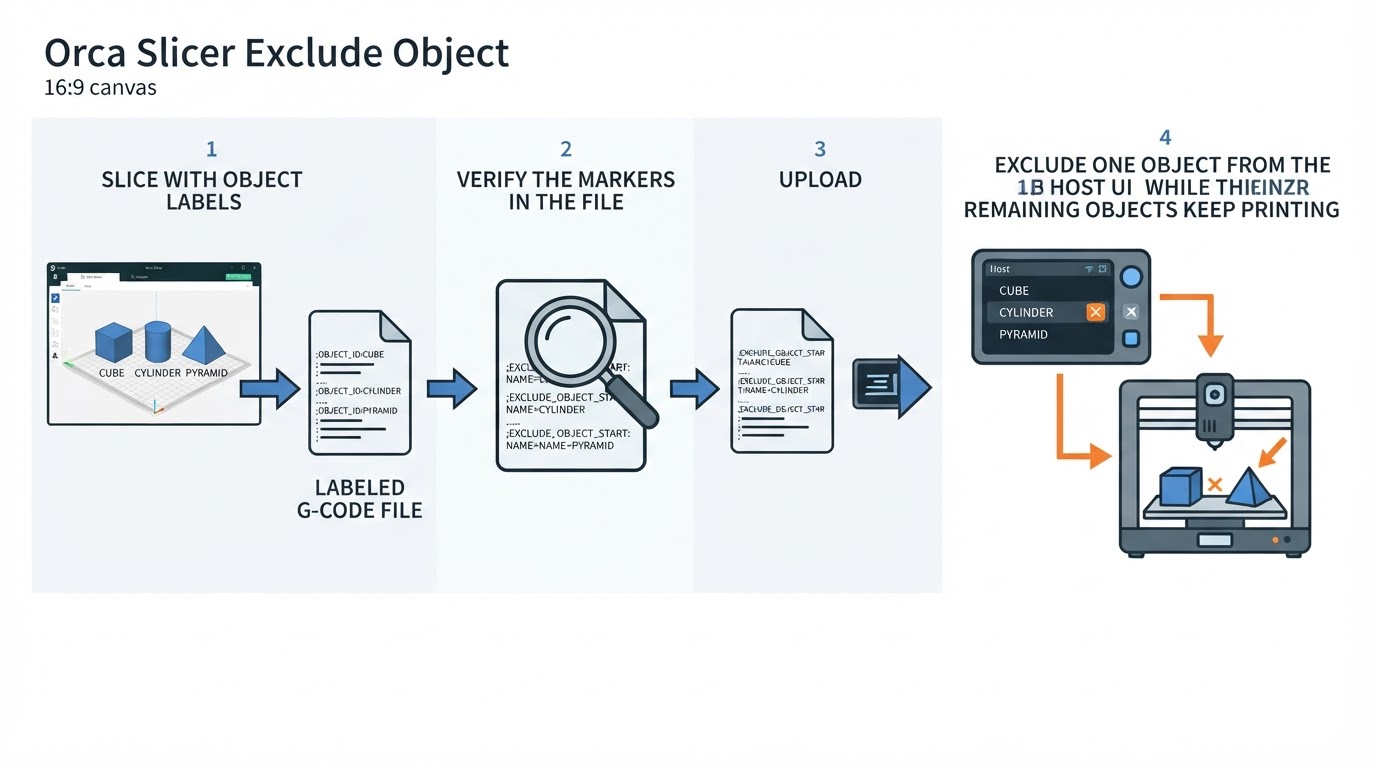
OrcaSlicer Exclude Object: Check Labels, Klipper and Printer Support
Excluding a failed object during a print depends on object labels and firmware support. Check the Klipper section, re-slice, verify the G-code markers, and test on a small job.
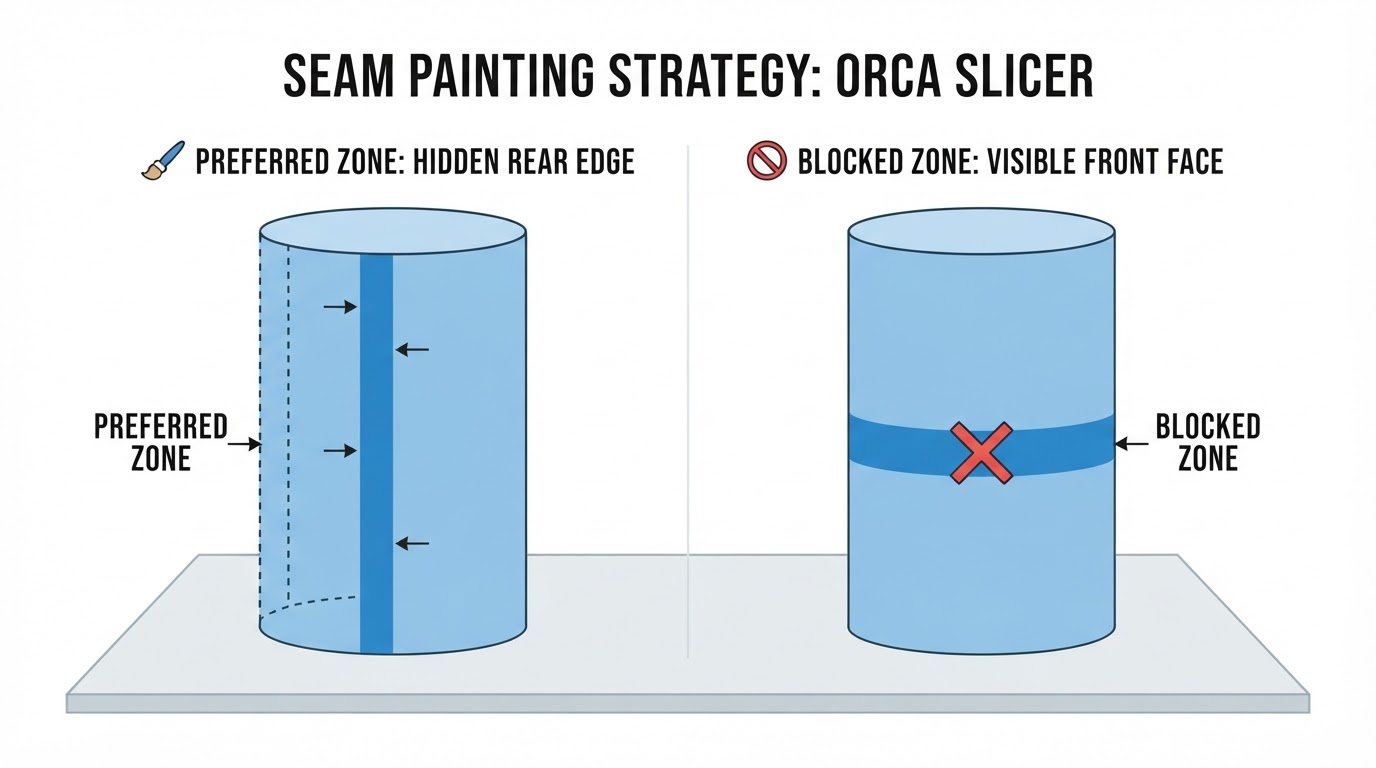
OrcaSlicer Seam Painting: Place and Avoid Seams on a Model
Paint preferred and blocked seam zones in OrcaSlicer, check the slice in Preview, and understand when other seam controls affect placement.
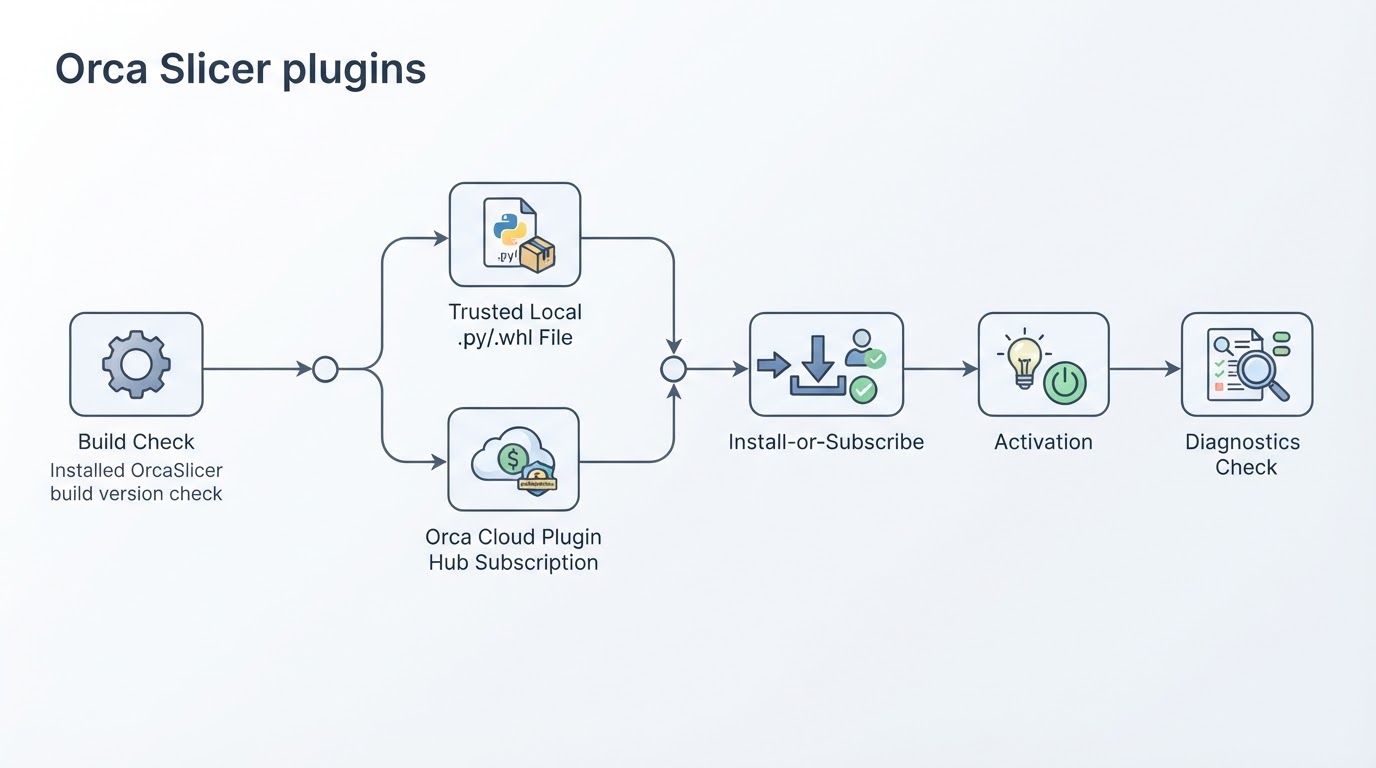
How to Find and Install OrcaSlicer Plugins
Find the OrcaSlicer Plugins window, check build compatibility, and choose a trusted local plugin or an Orca Cloud plugin on a current Nightly build.