Where to download OrcaSlicer safely
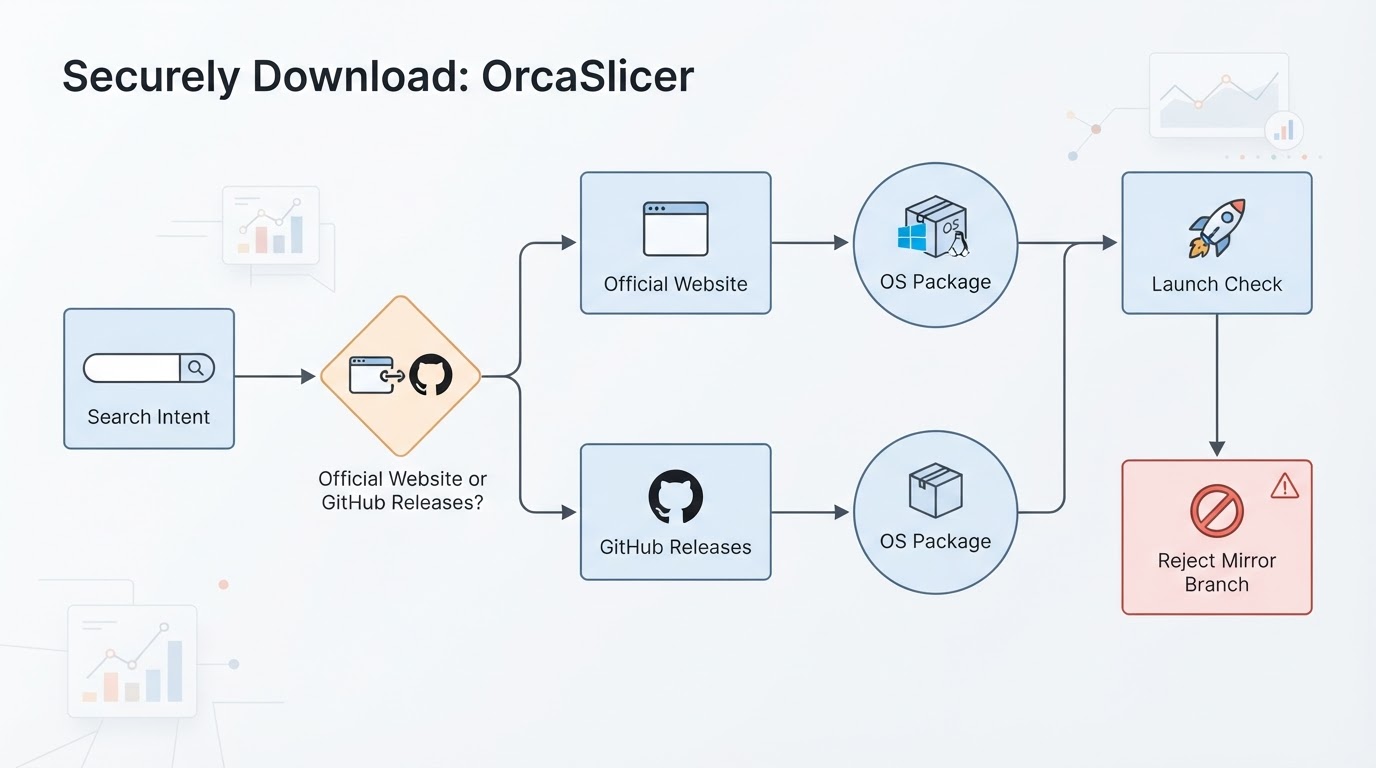
If you are searching where to download orca slicer, the safe answer is narrower than most search pages suggest. The authentic places to get Orca Slicer (OrcaSlicer) are:
- The official website: www.orcaslicer.com
- GitHub Releases for the matching operating-system build
Everything else should be treated as a pointer at best—or a risk at worst. That includes lookalike domains, “latest download” blogs, social-media file drops, and any page that hosts an installer itself while claiming to be official.
This page is written for FDM hobbyists, makers, Klipper/Voron builders, multi-brand fleet owners, and small print-shop operators who need a clean install path before they touch profiles, calibration, or fleet settings. Orca Slicer itself is free and open-source; the job here is not “find any installer,” it is “find the authentic channel, pick the right package, and reject counterfeits.”
Disclosure: This guide is published by the independent team behind orcaslicer.net. We are not the OrcaSlicer project maintainers. We do not host the installer here. Use the official website and GitHub Releases for every binary.
Authentic sources only
Treat these two channels as the complete allowlist for first-party downloads:
Source | What it is for | What you should see |
|---|---|---|
www.orcaslicer.com | Official product/download entry | Clear Windows, macOS, and Linux paths that ultimately point at project-maintained builds |
GitHub Releases | Canonical release artifacts | Versioned assets for your OS; stable builds for production, nightly only when you deliberately want bleeding-edge |
If a page cannot route you to one of those two without an extra “sponsored” installer, a cracked archive, or a mystery mirror CDN, stop.
Orca Slicer publishes builds across major desktop platforms. In practical terms, that usually means:
- Windows: 64-bit installer and portable options, including x64 and arm64 variants where published
- macOS: Apple Silicon and Intel packages
- Linux: AppImage and Flatpak packaging, with a documented install path rather than “build from source only”
Upstream packaging can also include a portable Windows build and a Microsoft Store listing. Prefer the channel you can verify: official site → GitHub asset → checksum/signature expectations the project documents on that same release.
Stable and previous stable channels are the default for production printers. Nightly (and any experimental belt-printer builds the nightly channel may carry) are for people who accept breakage. If you run a mixed fleet or a shop queue, stay on stable unless you are deliberately testing.
Per-platform download guidance
Windows
- Open www.orcaslicer.com and follow the Windows download path, or open the matching asset on GitHub Releases.
- Choose installer when you want a normal system install and Start-menu/entry integration.
- Choose portable when the machine is locked down, you lack admin rights, or you want a self-contained folder you can move or remove cleanly.
- Match architecture: use the x64 build on typical PCs; use arm64 only on Windows-on-Arm hardware when that asset is published.
- After download, verify the filename and release tag match the GitHub release you opened—not a renamed zip from a third-party mirror.
- Install or extract, launch once, and only then import printer/filament profiles.
Completion check: the app launches, shows a coherent version/build identity from the release you selected, and did not require a second “helper” executable from another domain.
macOS
- Use the official site or GitHub Releases and pick the build for Apple Silicon or Intel—do not guess from a generic “Mac” button on a mirror site.
- Download only the package published on those official channels.
- Open the app. If macOS Gatekeeper blocks first launch, use the documented path: System Settings → Privacy & Security → Open Anyway (wording can vary slightly by macOS version).
- Do not bypass Gatekeeper by grabbing an unsigned copy from a random forum mirror; fix trust on the authentic build instead.
Completion check: the app opens from the package you downloaded from the official channel, and you did not install a browser extension, “Mac cleaner,” or secondary downloader along the way.
Linux
- Prefer the published AppImage or Flatpak path from the official site / GitHub Releases.
- AppImage is usually the fastest “download and run” route on mixed desktops.
- Flatpak fits managed workstations and repeatable shop images.
- Follow the official install walkthrough for permissions (executable bit on AppImage, Flathub or documented remote for Flatpak when that is the published route).
- Building from source is optional power-user work—not the default answer to “where do I download.”
Completion check: OrcaSlicer launches from the AppImage/Flatpak you obtained via the official channel, and your user session can see local model folders you intend to slice.
How to spot counterfeit or malicious mirror sites
Search results for download queries are noisy on purpose. Use this rejection checklist before you click anything that is not the official site or GitHub:
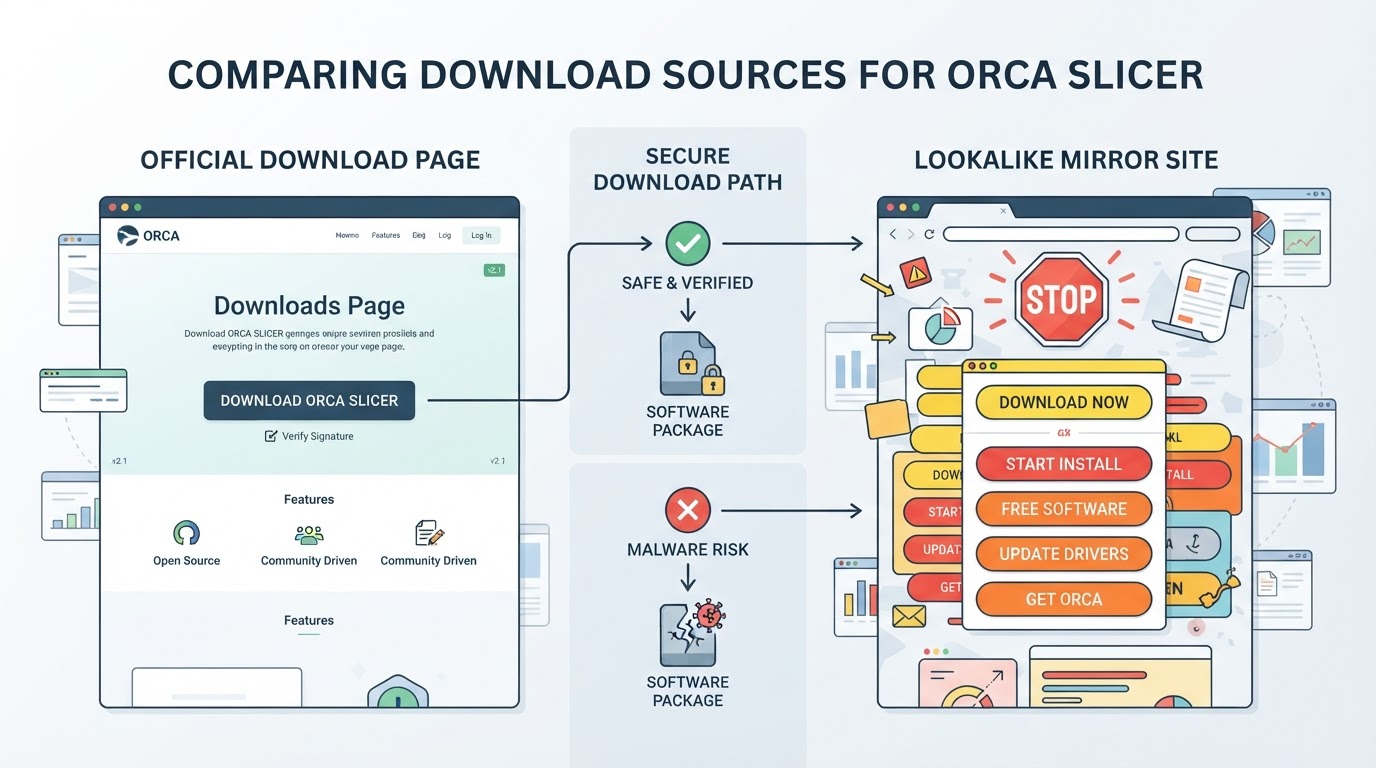
- Domain is not the official website. The project’s only official website is www.orcaslicer.com. Lookalike spellings, hyphen swaps, extra words (“download,” “get,” “official-soft”), or odd TLDs are automatic fails.
- The page hosts the binary itself while claiming to be “the” official home. Independent guides may explain the path; they should not replace GitHub/official assets with their own upload.
- Multiple stacked download buttons, especially “Download now” ads above the real OS links.
- Asks for payment, survey unlocks, email gates, or crypto tips to receive a free open-source slicer binary.
- Windows SmartScreen / macOS Gatekeeper warnings paired with a file that did not come from GitHub Releases. OS warnings can appear on legitimate new builds, but a warning plus an unknown publisher domain is a stop condition.
- Version numbers or changelogs that do not match GitHub Releases. If the mirror invents a build ID you cannot find on the project release list, discard it.
- Bundled “drivers,” codec packs, or optimizer tools. OrcaSlicer does not need a third-party driver bundle to install.
- Social-media or chat file drops (“I uploaded it here because GitHub is slow”). Re-fetch from GitHub instead.
Independent resource sites—including this one—can still be useful for setup and calibration after you already have an authentic binary. Useful means: explains steps, shows verification habits, and sends you back to official channels. Useful does not mean: re-hosts the installer.
Recommended install order after the download
Once the authentic package is on disk, keep the first session boring and verifiable:
- Install or unpack from the official artifact only.
- Launch once offline-capable if you want to confirm no surprise network dependency is required for basic startup.
- Add your printer profile (stock profile first; custom later).
- Add filament defaults; do not import random community profiles until the slicer itself is trusted.
- Run a small non-critical slice before any production plate.
- Only then connect network printing (Klipper/Moonraker, OctoPrint, PrusaLink, or Bambu LAN workflows you already trust).
If anything in that sequence requires a second downloader, a browser plugin, or a “full version unlock,” you left the authentic path.
Stable vs nightly (and when not to switch)
Channel | Use when | Avoid when |
|---|---|---|
Stable | Daily printing, shops, shared benches | You need a merged fix that only exists on nightly |
Previous stable | Rolling back after a bad upgrade | You have no reason to leave current stable |
Nightly / experimental | Testing new features or belt-printer experiments | Customer jobs, unattended queues, or “I just need a slicer today” |
Nightly exists so testers can move first. It is not the default answer to where to download OrcaSlicer for a reliable first install.
After install: the path this site is actually good for
Authentic download is step zero. The reason people still need a guide hub is step one and beyond: multi-brand profiles, calibration order, first-layer reliability, and fleet habits. Orca Slicer is strongest once it is installed from a trusted channel and then dialed in—flow, pressure advance, retraction, and printer-specific profiles—not while you are still guessing which domain is real.
If you arrived with a pure download intent, you can stop after the official site or GitHub Releases step. If you arrived because a print failed or a new machine joined the bench, finish the trusted install first, then move into calibration and profile work with the same verification habit: change one thing, keep sources visible, and do not accept “magic” config packs from anonymous mirrors.
Quick FAQ
Is OrcaSlicer free to download?
Yes. Get it from the official website or GitHub Releases. A site charging for the core binary is not an authentic distribution path.
Is GitHub or the official website better?
Both are authentic. Many users open the official website first, then save the matching GitHub Release asset. What matters is that the bytes come from the project’s published release, not a repackaged mirror.
Can I download OrcaSlicer on Windows, macOS, and Linux?
Yes. Official packaging covers Windows (installer/portable, x64/arm64 as published), macOS (Apple Silicon and Intel), and Linux (AppImage and Flatpak). Pick the asset labeled for your OS and CPU.
What if my browser or OS warns me?
Pause and re-check the source. A warning on a file taken straight from GitHub Releases is a different situation from a warning on a zip that arrived through an ad funnel. When in doubt, delete the file and fetch again from www.orcaslicer.com or the release page.
Should I use nightly builds?
Only if you intentionally want pre-release behavior. Production printers and shared shop PCs should stay on stable.
Bottom line
Where to download orca slicer is not a scavenger hunt across mirror SEO pages. Use www.orcaslicer.com or GitHub Releases, pick the package for your OS, reject lookalikes and hosted “official” impostors, and only then configure printers and filament. That single habit prevents most malicious-installer failures before calibration or slicing ever starts.