All Posts
Browse all blog posts
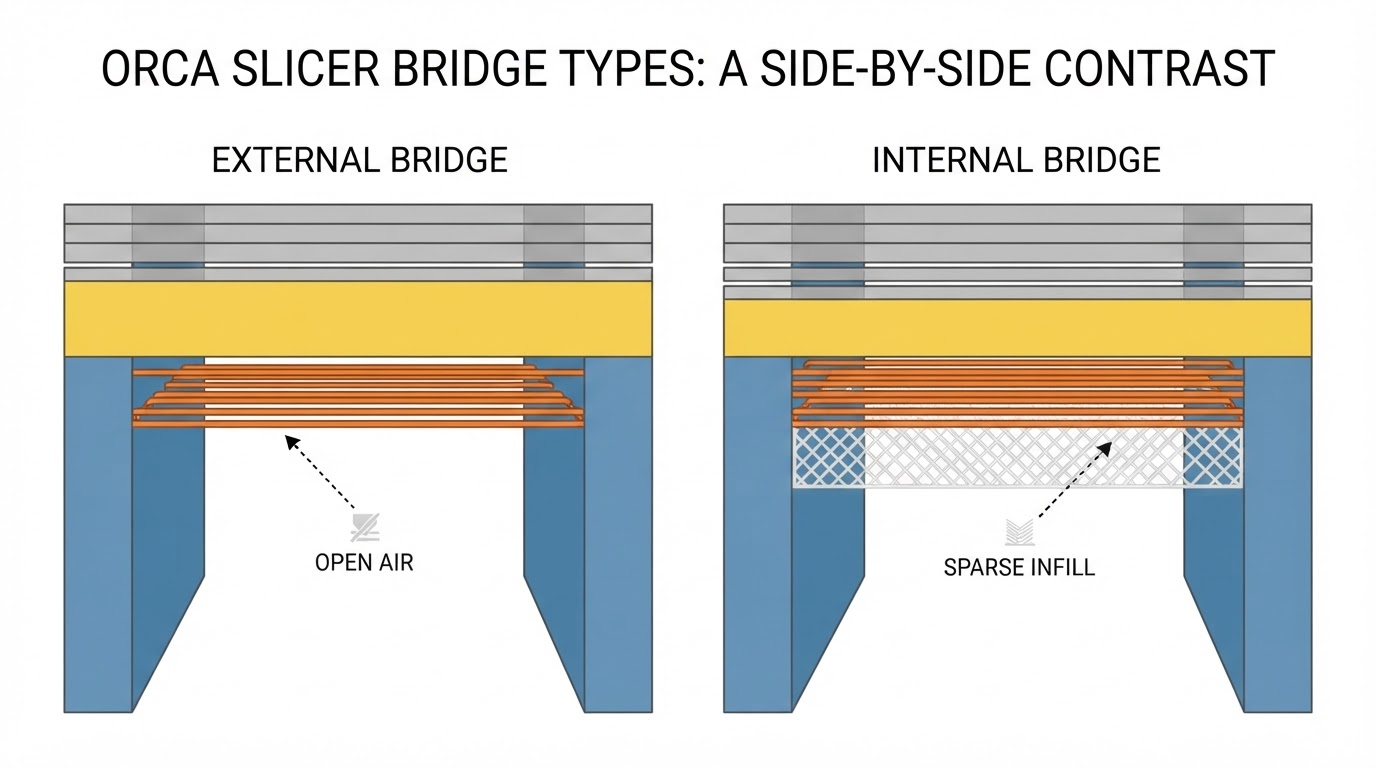
OrcaSlicer Bridge Settings: Diagnose Sagging Before Tuning
Sagging and broken bridges need opposite fixes. Diagnose the failure first, then change one Orca Slicer bridge setting at a time and verify it in the slice preview.
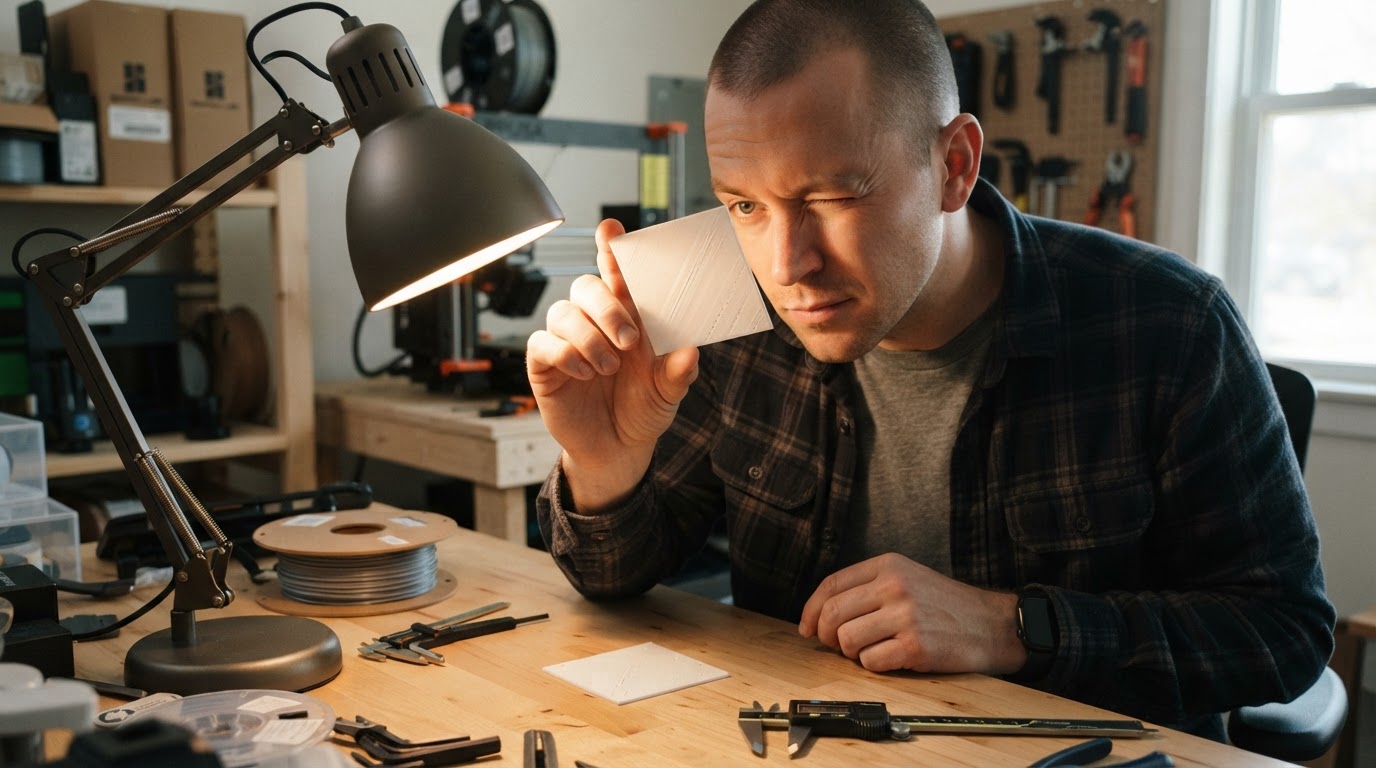
OrcaSlicer Ironing Calibration: A Repeatable Test Workflow
A repeatable Orca Slicer ironing calibration workflow: test ironing flow and speed one variable at a time, read the surface under raking light, and know when to stop.
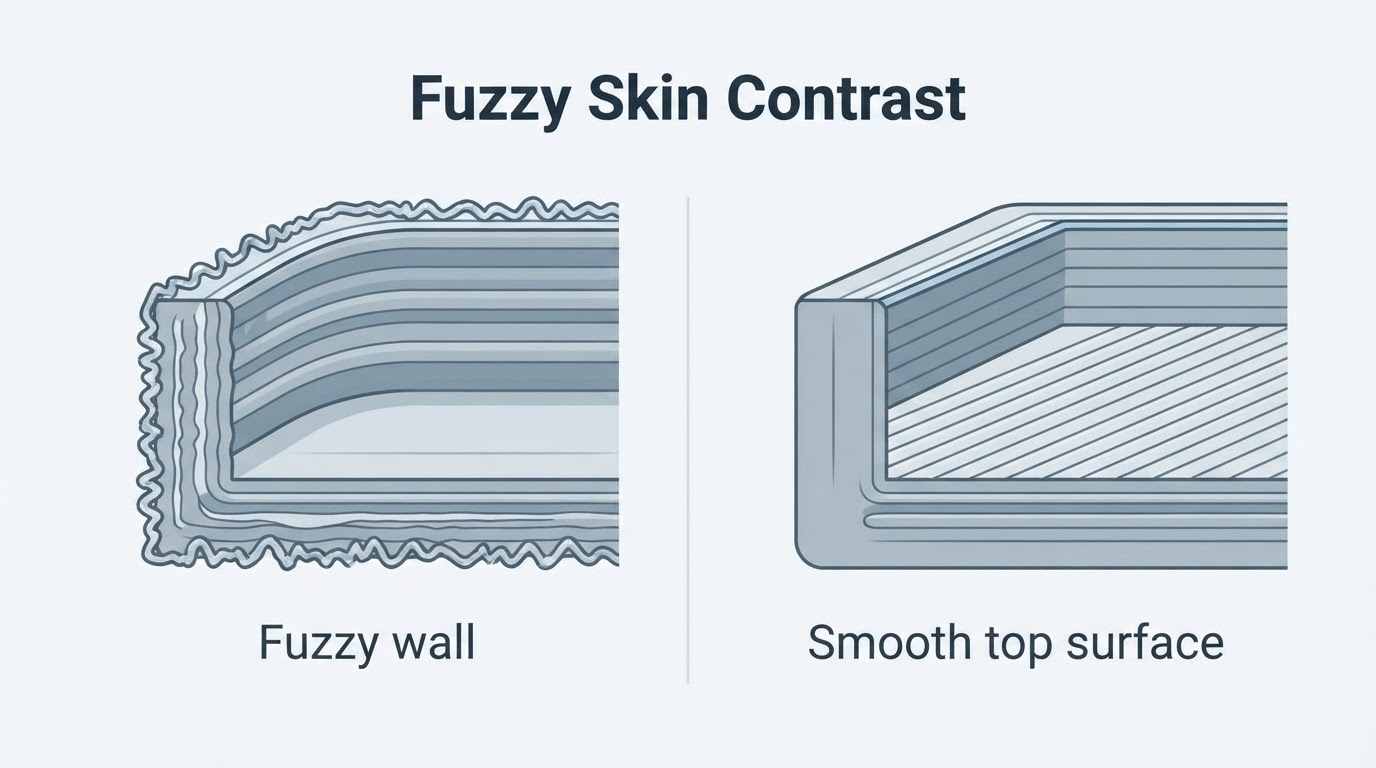
OrcaSlicer Fuzzy Skin on the Top Layer: What Actually Changes?
Fuzzy Skin in Orca Slicer textures wall paths, not top surfaces: the top face stays smooth while the outer edge of the top layer looks rough. See how to confirm the wall-only effect in the slice preview, what the settings change, and what to use instead if you wanted a textured top face.
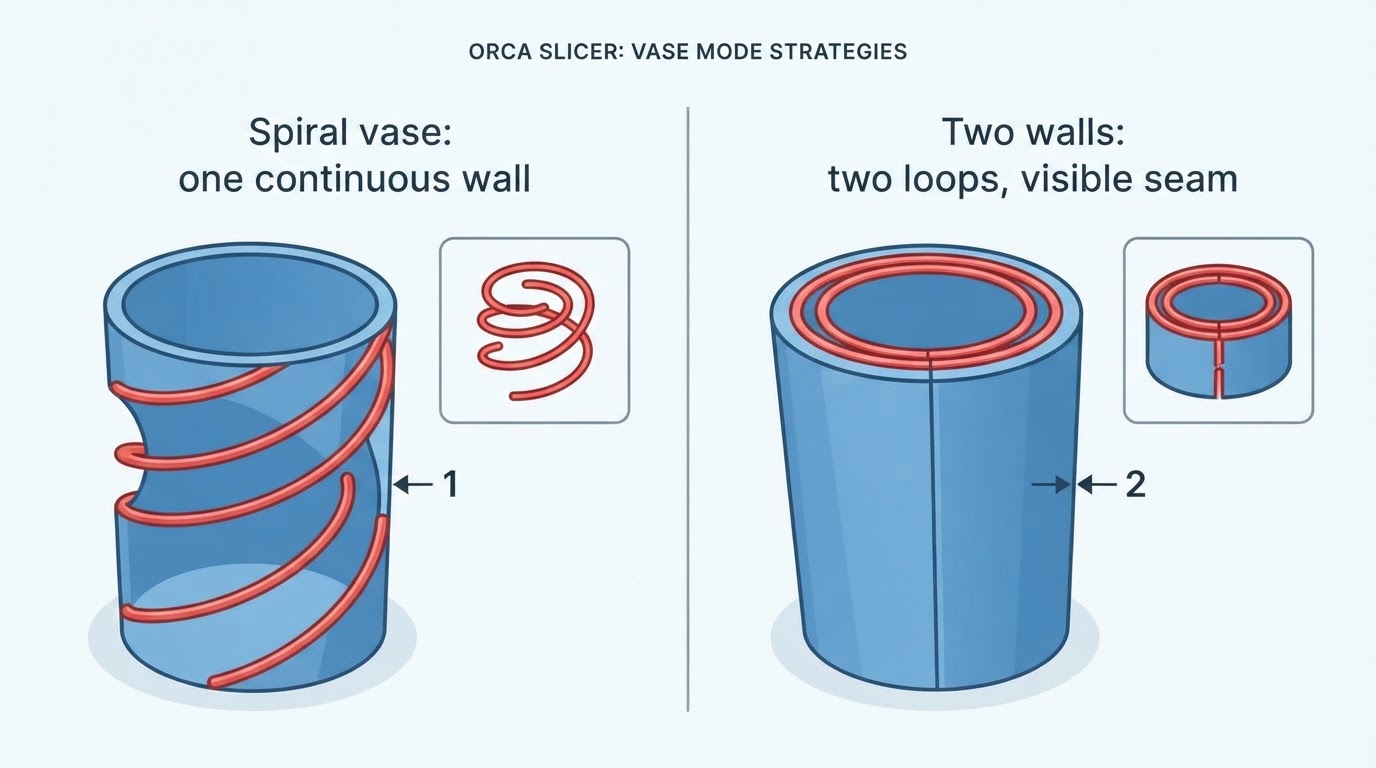
OrcaSlicer Vase Mode With Two Walls: Limits and Alternatives
Orca Slicer vase mode has no two-wall spiral option. See what the single continuous perimeter really does, how to widen it, and when a conventional two-wall slice is the better answer.
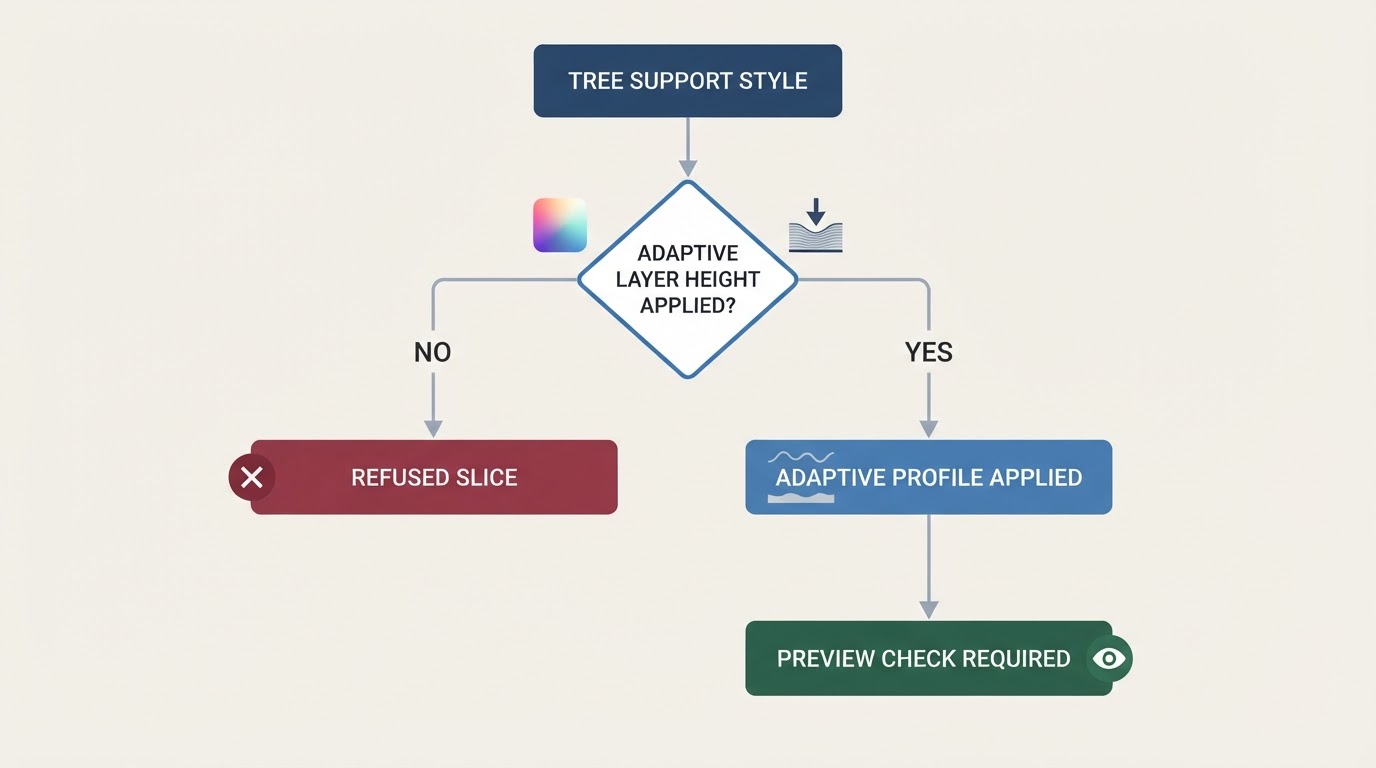
OrcaSlicer Adaptive Layer Height With Tree Supports
Adaptive layer height can conflict with Organic tree supports in Orca Slicer. Check your installed version and slice preview, read any warning, and compare other tree styles without assuming universal compatibility.
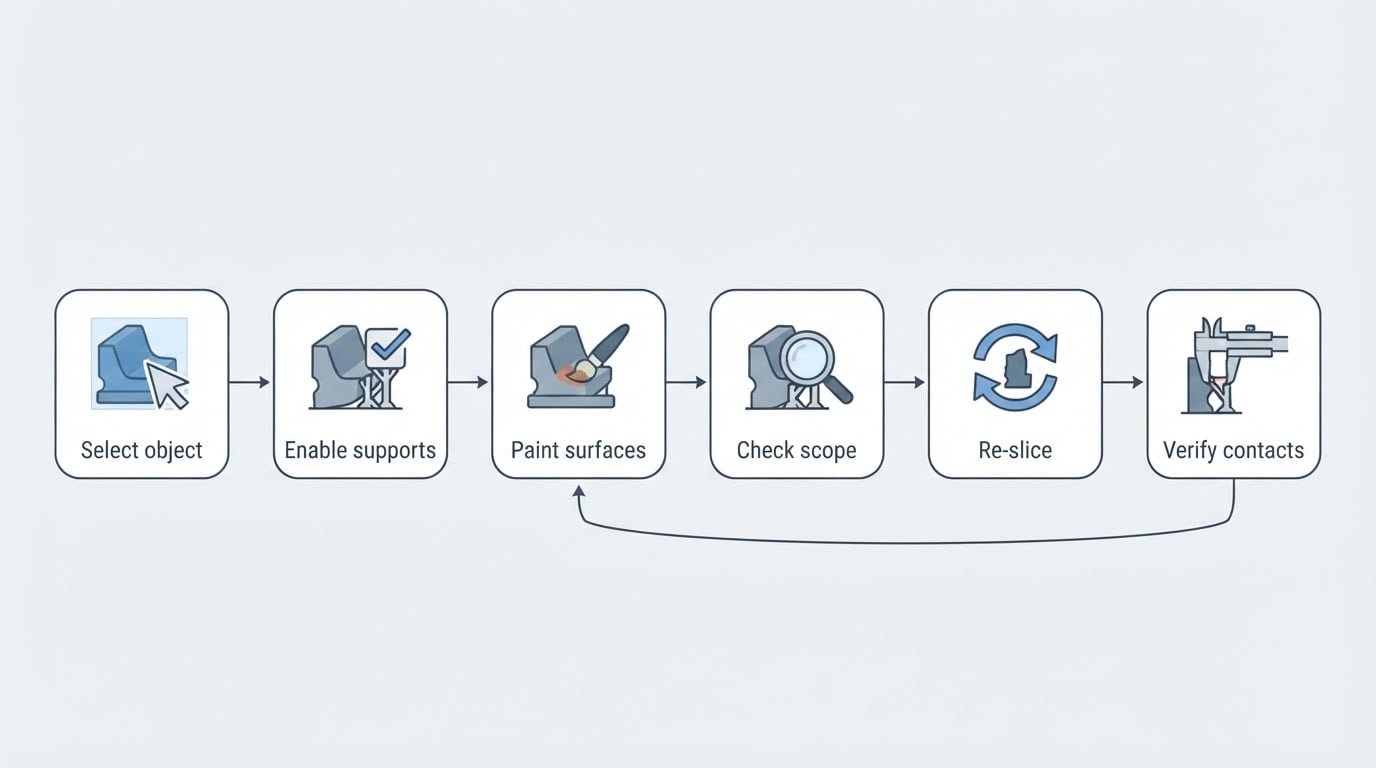
OrcaSlicer Manual Supports: Paint Placement and Check Blockers
Enable supports, choose a manual type, paint the intended surfaces, then re-slice. If blockers seem ignored, check the object, mode and contact layers.
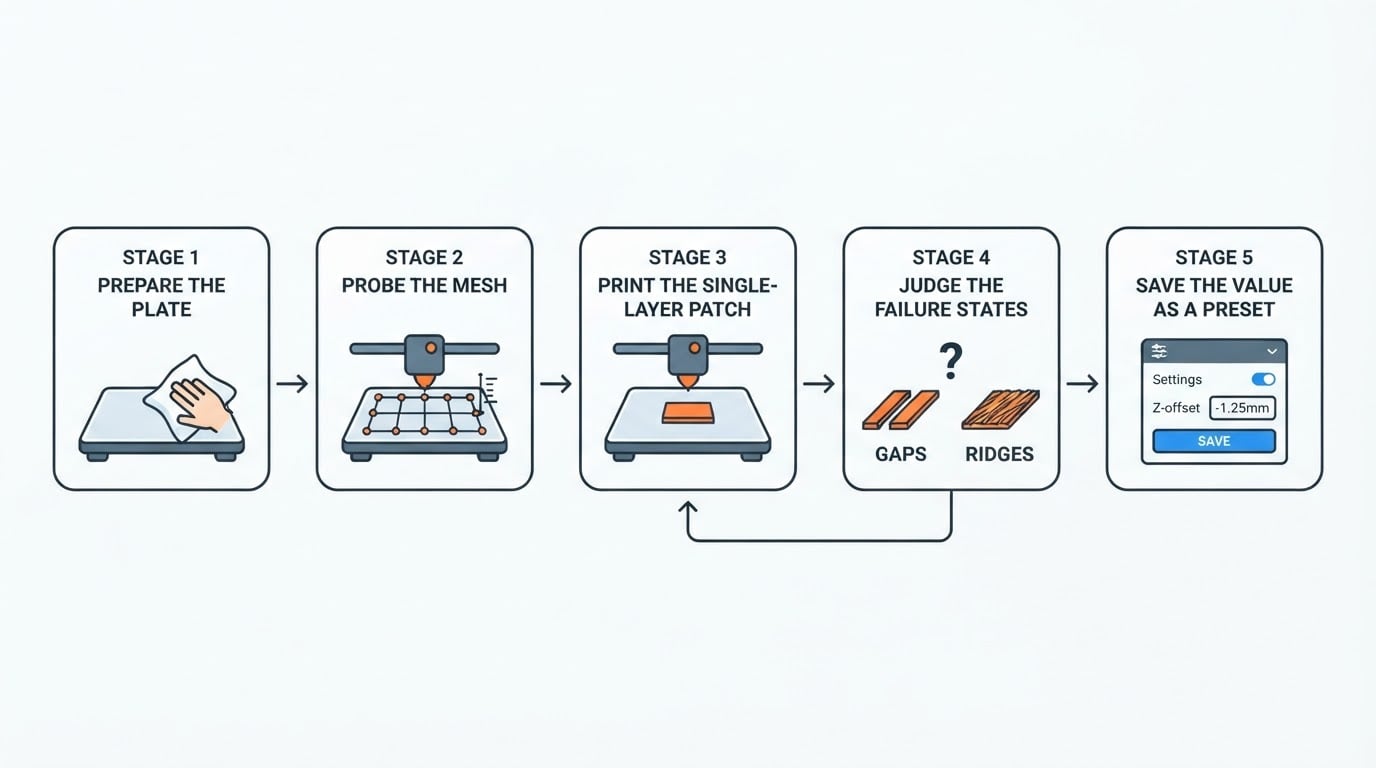
Orca Slicer Z Offset Calibration: A Practical First-Layer Workflow
Orca Slicer Z offset calibration is a one-patch job: print a single layer, adjust the offset in small steps until the lines fuse into a smooth sheet, then save it.
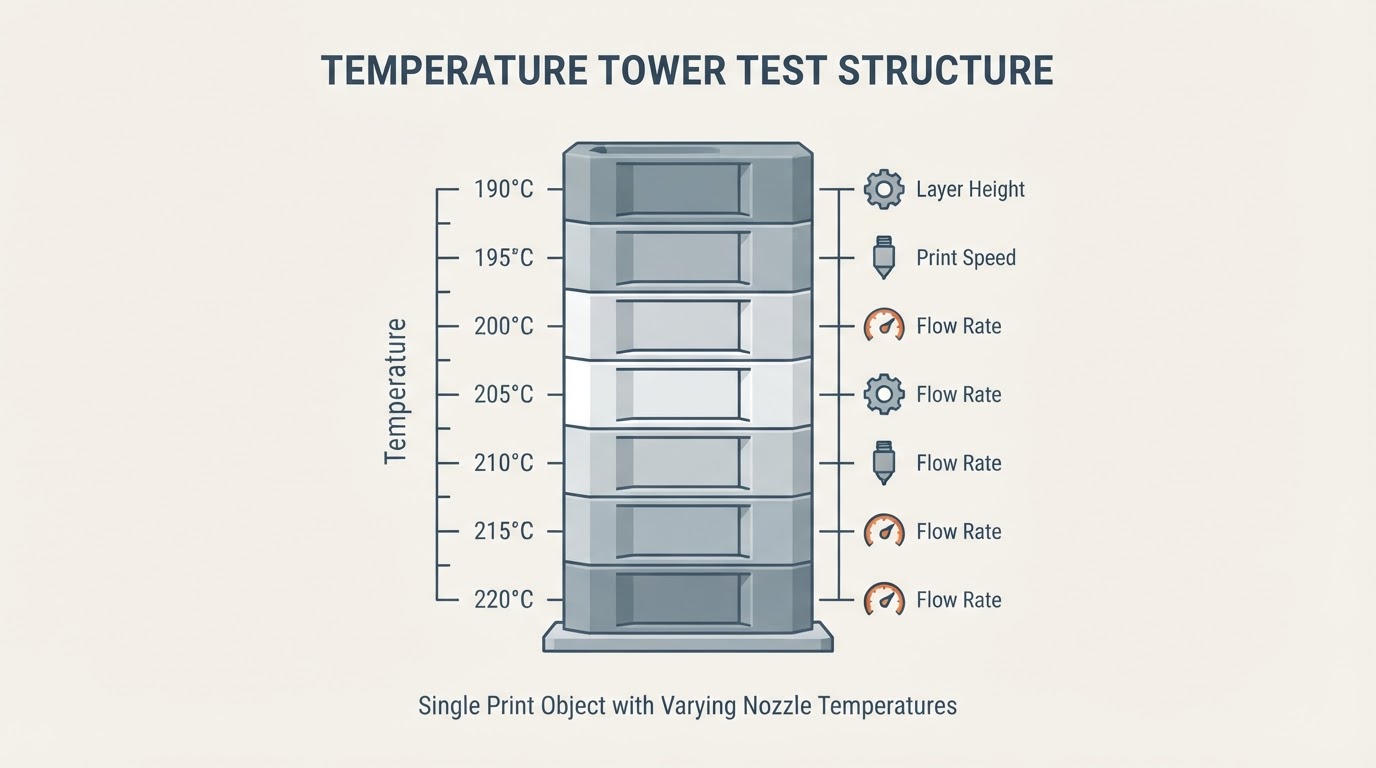
Temperature Tower Test: How to Run One and Read the Results
A temperature tower test prints one model at several nozzle temperatures so you can compare stringing, layer bonding, and surface finish, then save the winning temperature to a filament profile.
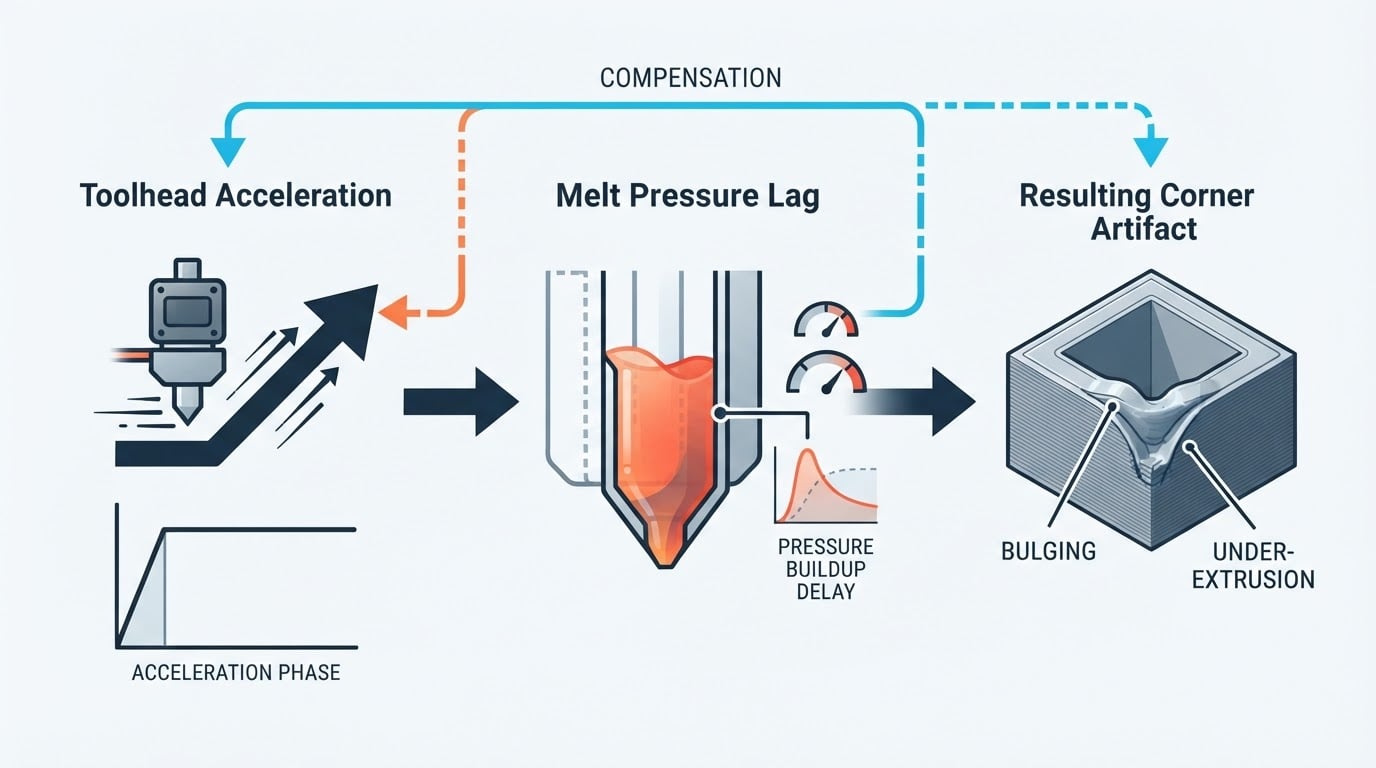
Pressure Advance Tuning: A Practical Calibration Guide
Think of pressure advance tuning as a one-print calibration job: pressure advance adds extrusion during acceleration to flatten corners, and you read the test pattern to choose a value.