The short answer: one tree style refuses, the others do not
Adaptive layer height (called variable layer height in older interfaces) varies layer thickness across a single object. Tree supports branch up from the build plate to reach overhangs. Orca Slicer will do both in one print, but not with every tree style.
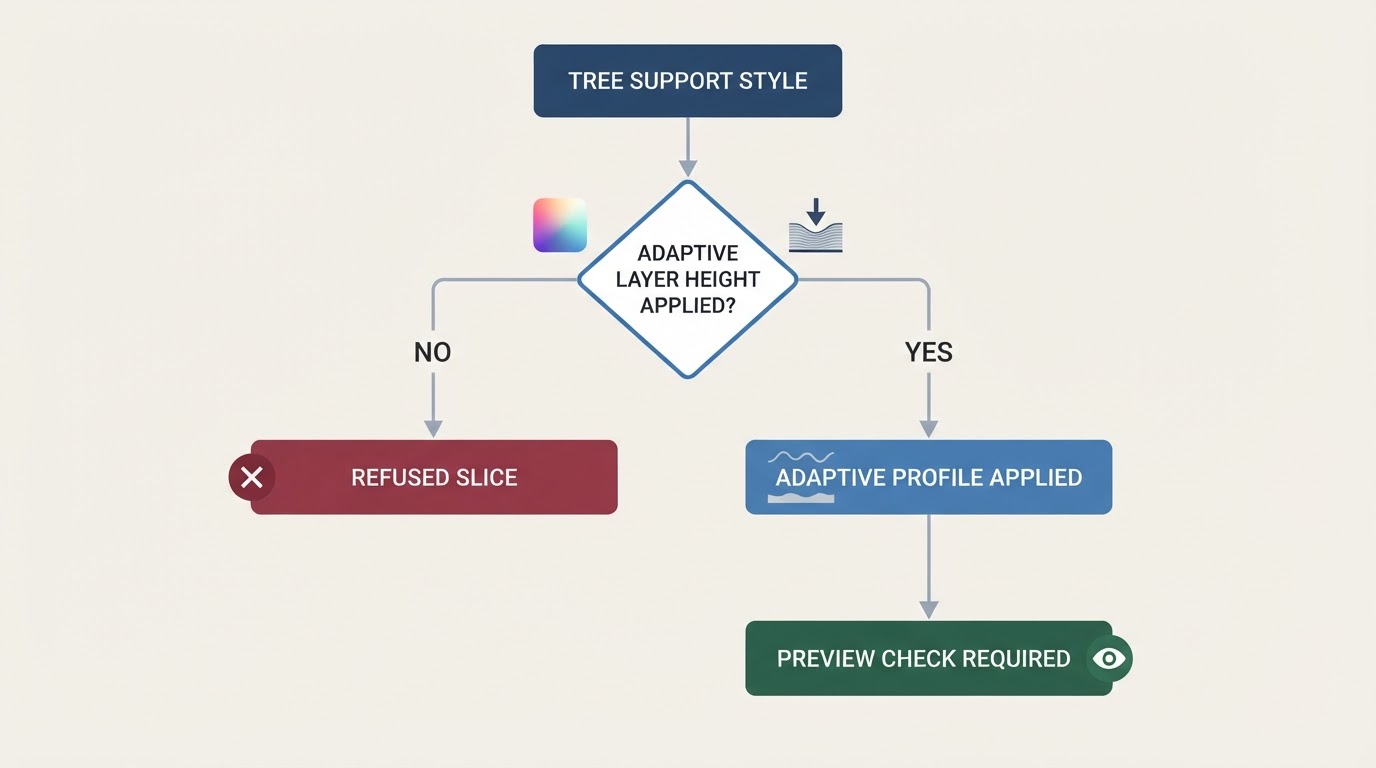
The refusal is style-specific, not a blanket ban. The slicer's validation code rejects the print when an object has support material, the support type is Tree, the style is Organic (or the default that Orca Slicer maps to Organic), and the object carries a custom layer-height profile that is not flat. The message is:
Variable layer height is not supported with Organic supports.
That string appears in the project's source in the commit that introduced the validation (OrcaSlicer commit 7ef43f6). Tree Slim, Tree Strong, and Tree Hybrid are not covered by that particular check; this does not guarantee every model or release will slice correctly with them.
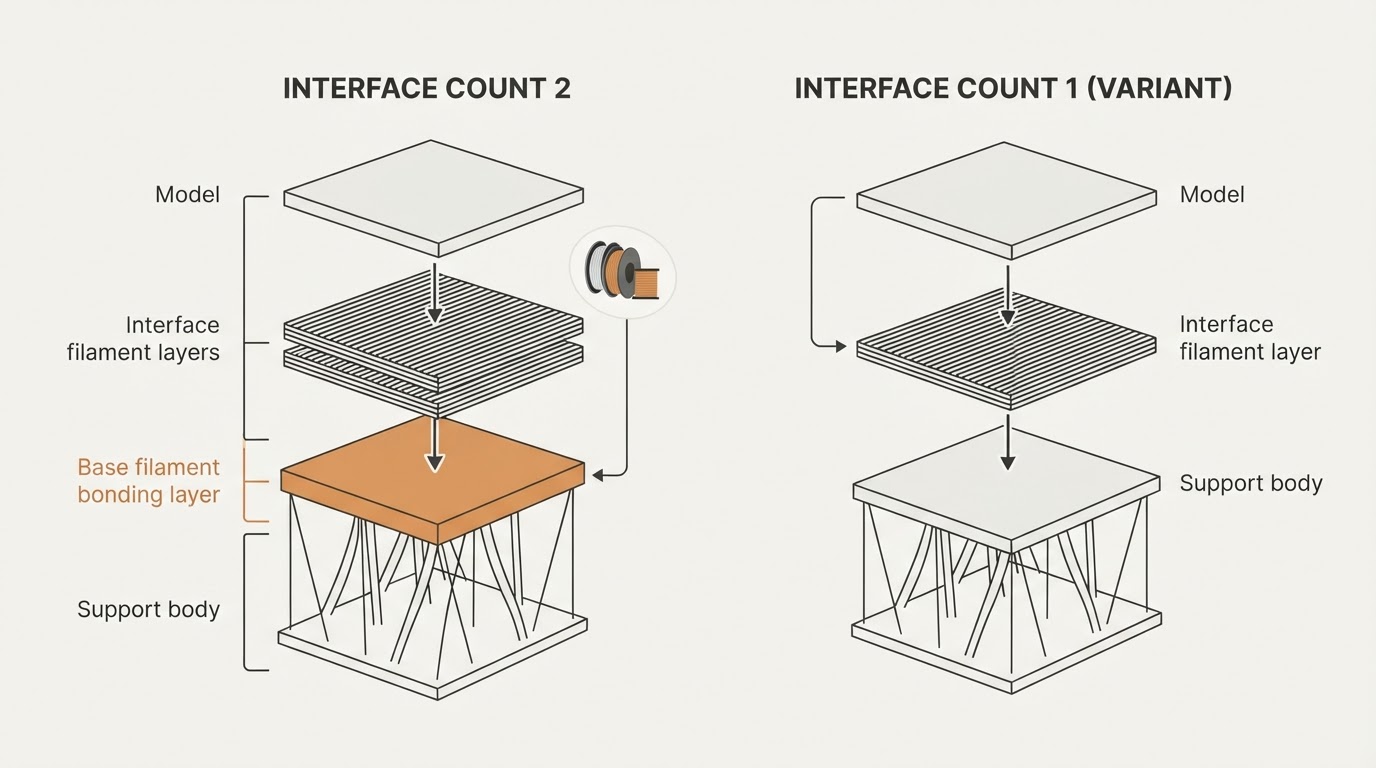
A quieter second problem appears when the tree-support option that gives supports their own layer height is enabled. In a filed reproduction, Organic supports print at the model's layer height and the Top Z distance rounds to the nearest model layer, which can turn an intended gap into a full-layer gap. The report is against OrcaSlicer 2.3.0 and describes Organic only; Slim, Strong, and Hybrid were unaffected in the same test (issue #11215).
The practical answer: it depends on the tree style you pick and on the build you run. Check your own copy instead of trusting a post written about an older version.
Why Organic is the exception
Adaptive layer height rewrites an object's layer-height profile, so the model is no longer sliced on one fixed Z grid. The validation path asks whether the object's layers are fixed and rejects the print when they are not. Orca Slicer also treats the default tree style as Organic, so even a profile you never consciously changed can land in the refused branch.
The other three styles sit outside that check. That does not make them perfect — it means the slicer does not refuse them, so the quality question moves to contact tips, branch thickness, and the interface gap.
One distinction to keep straight: manual Support Painting in Orca Slicer changes where supports are placed and blocked, not how layer heights behave. Painted enforcers on a varying profile can still hit the Organic restriction. For the separate placement workflow, see our Orca Slicer manual support guide.
Verify the combination in five minutes
Version drift is why this check belongs in front of the print, not after it. Five minutes of slicing beats a failed long print.
- Load a small overhang test model you already trust — an overhang steep enough that supports actually generate, not a flat calibration cube.
- Turn on the adaptive layer height profile you intend to print with, using the same settings you will use on the real part: minimum, maximum, and smoothing.
- Set support type to Tree and slice once per style: Tree Slim, Tree Strong, Tree Hybrid, then Organic.
- Read the messages returned after slicing. If adaptive layer height is not working with supports, the Organic run is where the cause shows up; the exact string is "Variable layer height is not supported with Organic supports."
- Open Preview, set the colour scheme to layer height, and step from the first support layer to the last contact tip. Confirm the model genuinely uses more than one layer height, and that each branch reaches its overhang with a visible gap instead of a fused contact.
- If you keep Organic, verify the Top Z distance in Preview rather than trusting the typed value. A gap that rounds to a whole model layer is the symptom the 2.3.0 report described.
You are done checking when the message list is clean for your chosen style, layer-height colouring shows real variation, and every overhang has a branch contact in the layer-by-layer walk. If any of those three fails, change something before you commit filament.
Decision table: tree style against an adaptive profile
Tree style | Adaptive profile state | What to expect | First move |
|---|---|---|---|
Organic | Flat profile, or no profile | Normal slicing; supports follow the object's fixed layers. | Keep Organic if you do not need varying layers. |
Organic | Non-flat adaptive profile | Processing stops with "Variable layer height is not supported with Organic supports." | Switch style, remove the profile, or split the job. |
Organic | Support height controlled separately | Supports print at the object's layer height and Top Z distance rounds to the nearest layer in the filed 2.3.0 reproduction. | Do not trust the typed gap; verify it in Preview. |
Slim, Strong, Hybrid | Non-flat adaptive profile | Not covered by that specific Organic validation check; other constraints may still apply. | Slice in your installed version and verify contact tips and gaps branch by branch. |
Workarounds that hold up
- Try Tree Slim when you need varying layers. Slim sits outside the cited Organic refusal check, but you still need to re-slice and inspect support contact and clearance in Preview.
- Split the job across two prints. Print the detailed geometry with adaptive layer height and a tolerant tree style, or print the support-heavy section separately at a fixed layer height.
- Keep Organic and turn off variable layer height. If you need more detail, lower the global layer height instead of varying it.
- Never trust the interface number alone when layers vary. Set the Top Z distance, then confirm the printed gap by stepping through layers in Preview; rounding to a whole layer changes the gap you asked for.
- Re-run the check after every upgrade. Support generation is one of the most actively changed areas of the project, and the current stable line is 2.4.2 (OrcaSlicer releases). A combination refused on your old build may behave differently on the new one.
What a clean preview does not prove
- Preview is evidence for this project, profile, and printer only. It proves the slicer accepted the combination, not that the print will finish.
- A slice that looks right does not guarantee branch strength, support adhesion, or clean removal. Thin branches can still fail on the printer.
- The behaviour is version-sensitive in both directions: a build can refuse the pairing, allow it, or allow it with a poor interface, and release notes do not always say which.
- None of this is a universal fix. Material, nozzle size, geometry, and cooling all change which support strategy survives.
FAQ
Is the Organic limitation still current in OrcaSlicer?
Do not assume it is permanent, and do not assume it is gone. The refusal exists as an explicit validation check in the project's source, and the tree-support code around it has been reworked repeatedly across the 2.3.x and 2.4.x lines. The answer that applies to your copy is the one your copy produces: apply a non-flat adaptive profile to an object with a Tree/Organic style, slice, and read the message list.
Which OrcaSlicer versions changed adaptive layer height and tree support behaviour?
Support generation moved a lot between release lines: 2.3.2 changed how Organic supports build their base infill, and the project has since shipped 2.4.0, 2.4.1, and 2.4.2, with nightly builds ahead of stable. Advice pinned to one old release is therefore unreliable; reproduce the check on your installed version and read the notes for the version you are about to install.
The warning appeared, or my supports printed in the wrong place. What now?
Treat it as a style conflict, not a broken model. Note the exact message: if it names variable layer height and Organic supports, pick a different tree style or remove the adaptive profile from that object, then slice again. If slicing succeeds but the supports print at the model's layer height, or the contact gap looks like a whole layer, do not start the long print — separate the adaptive part from the support-heavy part across plates or prints, verify again in Preview, and only then commit.