What This Setting Changes
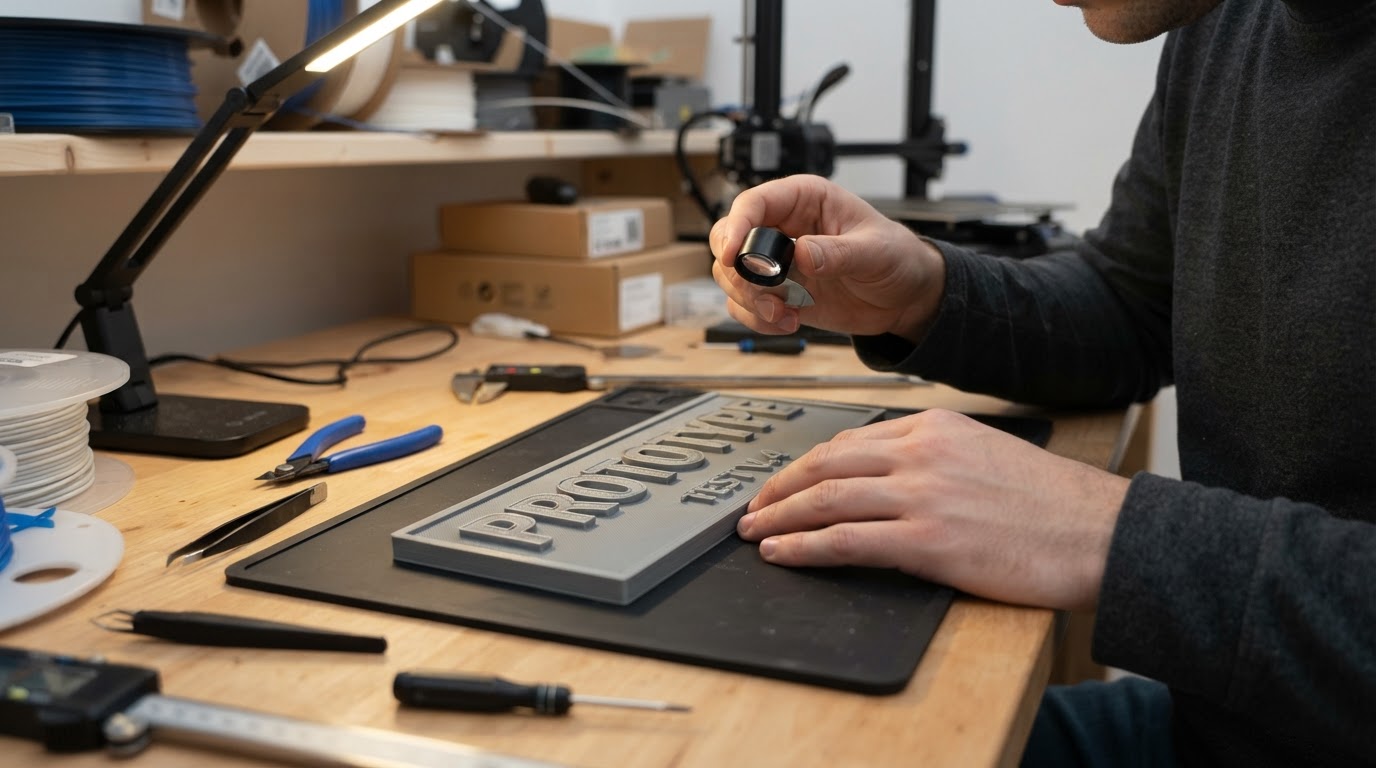
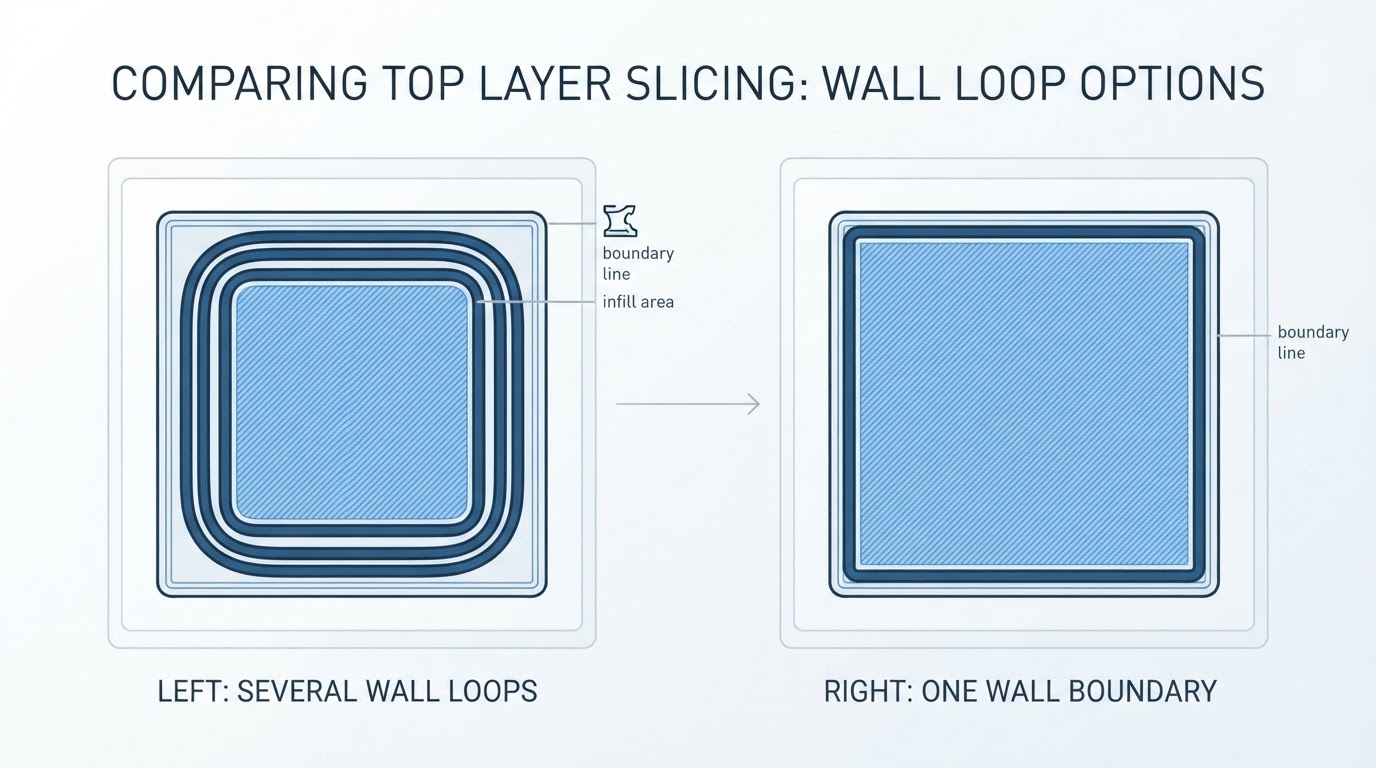
Only one wall on top surfaces tells Orca Slicer to keep one wall boundary where it detects a top surface, so the top infill pattern has more room. The official wiki describes it as using a single wall on flat surfaces to give the top infill more space, and singles out small features such as letters, where the top face is too small for concentric wall rings to cover properly. The same wall and surfaces reference lists it as a Simple-mode boolean (only_one_wall_top), separate from the first-layer option.
It is not a whole-object single-wall mode. Wall loops still control the perimeter count on vertical faces; this option changes only the boundary of detected top surfaces. It is not a global wall-count control and does not fix sidewall problems that come from elsewhere in the profile.
The option also needs a top shell to act on. The top and bottom shells documentation defines top_shell_layers, and the wall page notes that each one-wall option is available only when the matching shell layer count is greater than zero. With zero top shell layers, there is no top surface to modify.
Separate the Three Settings
- Wall loops set the perimeter count around the model, on the sides and overall.
- Top shell layers set how many solid layers cap the top, and whether a top surface exists at all.
- Top surface pattern sets the visible path style on that skin, such as rectilinear or monotonic. Our top surface pattern guide compares those visible results.
A quick reference:
What you want to change | Setting to open | Setting it is not |
|---|---|---|
One perimeter on detected top faces only | Only one wall on top surfaces | Wall loops |
Whether a top surface exists at all | Top shell layers | Top surface pattern |
The visible line pattern on the top skin | Top surface pattern | Wall loops |
Where the top-wall shortcut stops triggering | Top surface width threshold | Wall loops |
Check the Width Threshold
Under the same wall reference, min_width_top_surface decides when a partially covered top area is too narrow to count as a top layer, expressed as a distance or a percentage of the inner wall line width. It keeps Only one wall on top surfaces from triggering on surfaces that should be covered by walls alone. The documentation warns that enabling it can create artifacts when thin features sit on the next layer, such as letters, and says a value of 0 removes them. That is a documented caution, not a universal fix: feature size, layer stack and the rest of the profile decide whether it helps.
Run a Before-and-After Preview
- Slice with your current profile and note the profile name and layer. Do not change wall loops, top shell layers, wall order, the wall generator or the top pattern.
- Enable Only one wall on top surfaces only. Re-slice.
- Compare the same layer before and after. Count the perimeter lines crossing the top face, and see how far the top infill reaches toward the edge.
- Inspect raised letters and other narrow tops: look for wall rings that disappeared from letter tops, plus stray lines or gaps on the layer above a thin feature.
- Inspect lower sidewalls and the layers above and below the feature. A sidewall difference is not proof that wall-loop or wall-order controls changed: adjacent geometry, surface detection, the wall generator and profile interactions also matter. Verify other settings stayed fixed and inspect the surrounding layers before attributing the change.
- Treat the preview as a hypothesis: slice preview shows visible toolpath output, not a guarantee of printed strength, finish or print time.
Surface Expansion Changes the Picture
Surface Expansion (top_surface_expansion) is the newest variable here, and it is explicitly version-dependent: the wiki lists it as available in nightly builds or releases later than 2.4.2, so a stable build may not contain it at all. With more than one wall loop, the documentation says the remaining inner walls are rerouted around a detected top surface, which can ring a feature and cut into an expanded top surface. When Surface Expansion is in use, those inner walls are removed over the top surface; the page says the Classic generator drops them whole and Arachne cuts them. Because this changes between builds, check the same section in your installed version and confirm the toolpath in preview.
Facts were checked against the official wiki on 2026-10-22. Installed builds can differ, so verify the option name, threshold behavior and expansion availability in your version. Slice preview shows what the slicer plans to move; it cannot promise how the printed part will look or hold up, and no setting here guarantees a stronger part or cleaner finish.